
PawTunes Guide: Open-Source Internet Radio Player
Have you ever encountered such frustrations: wanting to set up an internet radio station, but the players on the market are either too simplistic, too expensive, or have an interface so ugly you can't bear to look at it?
The PawTunes we're introducing today was born to solve these pain points. The author of this project originally intended to sell it for $35 on CodeCanyon, but it got rejected. In a fit of pique, they directly made it open source and free. About this move, all I can say is: Absolutely brilliant!
🎵 Core Features at a Glance
Multi-channel Support: Create as many channels as you want, with no limits. For example, you can have a classic hits channel, a pop music channel, a light music channel, etc.
Automatic Song Info Fetching: This feature is really great. The player automatically fetches the cover art and information for the currently playing song from platforms like Spotify, iTunes, LastFM, etc. No need for manual uploads, very convenient.
Multi-device Adaptation: Phone, tablet, computer—listen wherever you are, the interface adapts perfectly.
Theme Customization: Comes with multiple built-in templates, and you can also customize colors. Any style you want is possible—minimalist, dark mode, business style, whatever you prefer.
https://appstore.lazycat.cloud/#/shop/detail/cloud.lazycat.app.pawtunes
How to Use
After installing the app, if you open the page and see an error, it's prompting you that there are no channels yet.

You need to append /panel to the browser URL suffix; it will then jump to the login page.
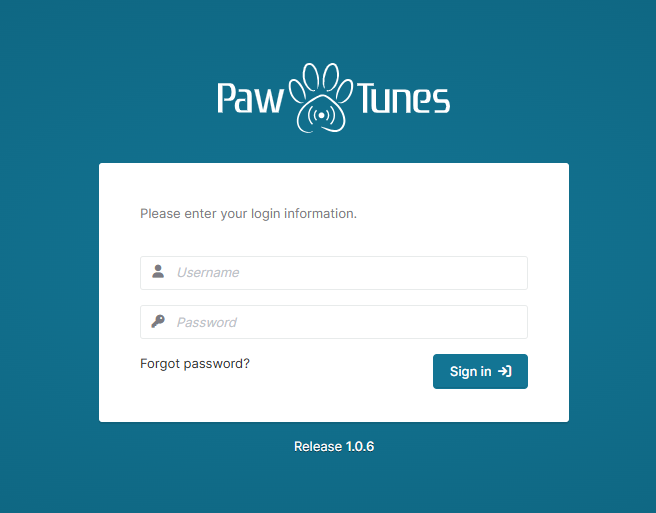
Login credentials: admin / password. Enter the main page. Unfortunately, Chinese is not supported.
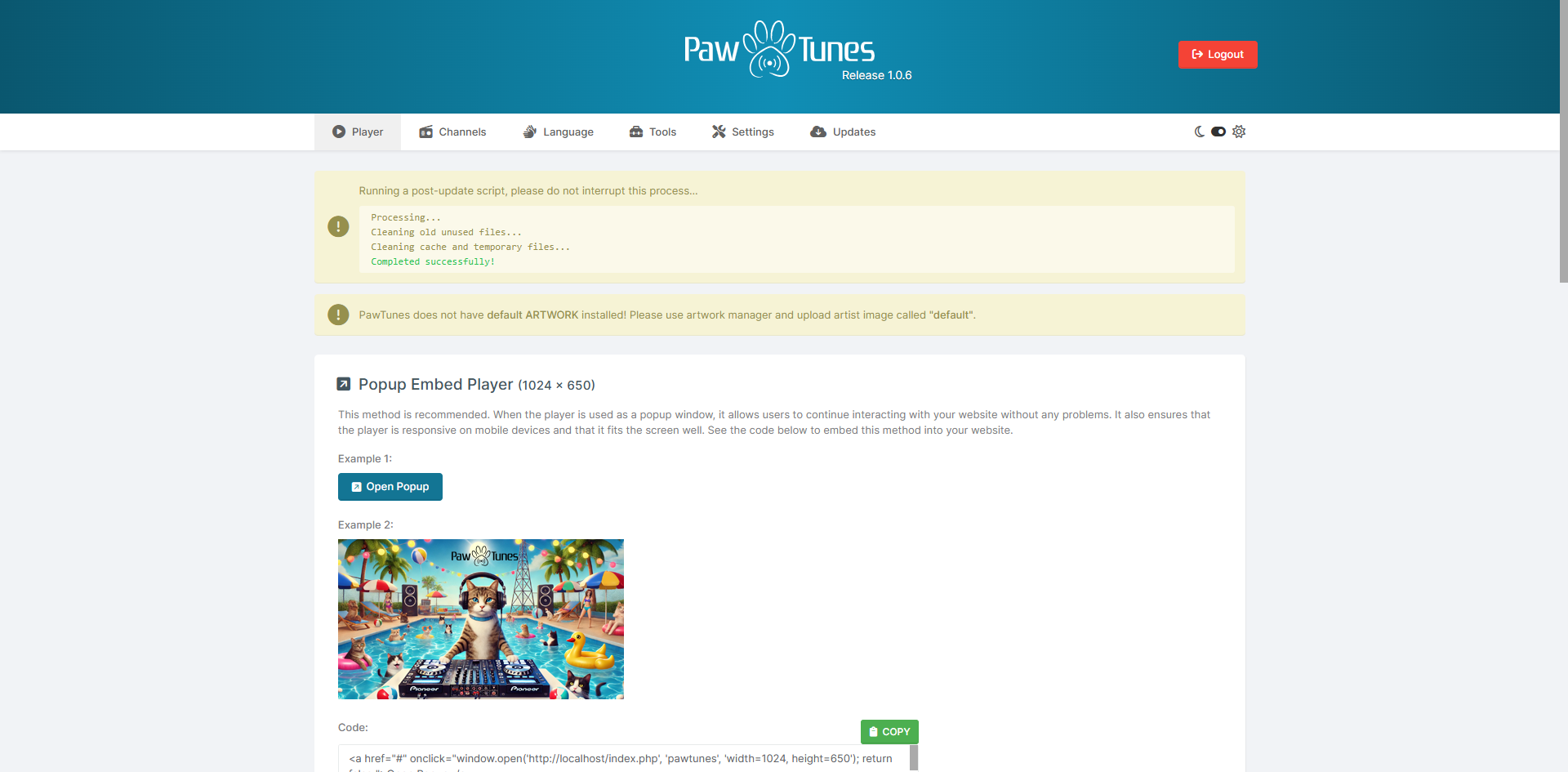
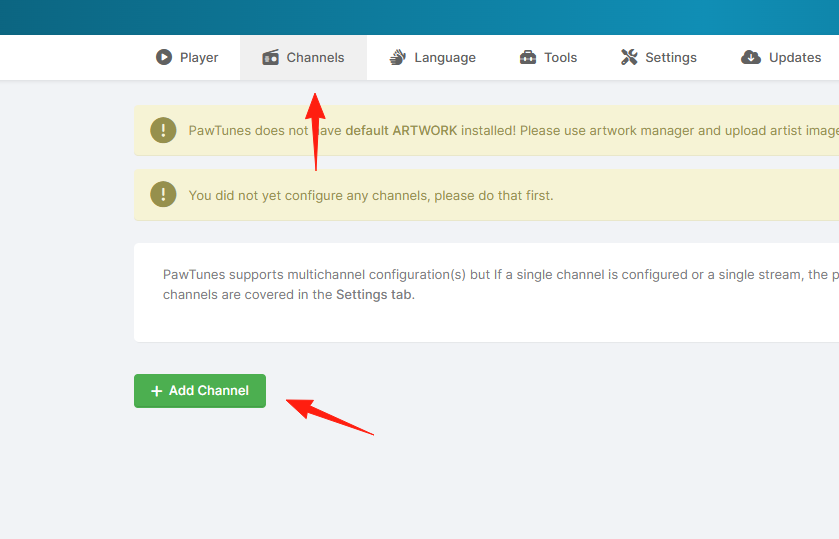
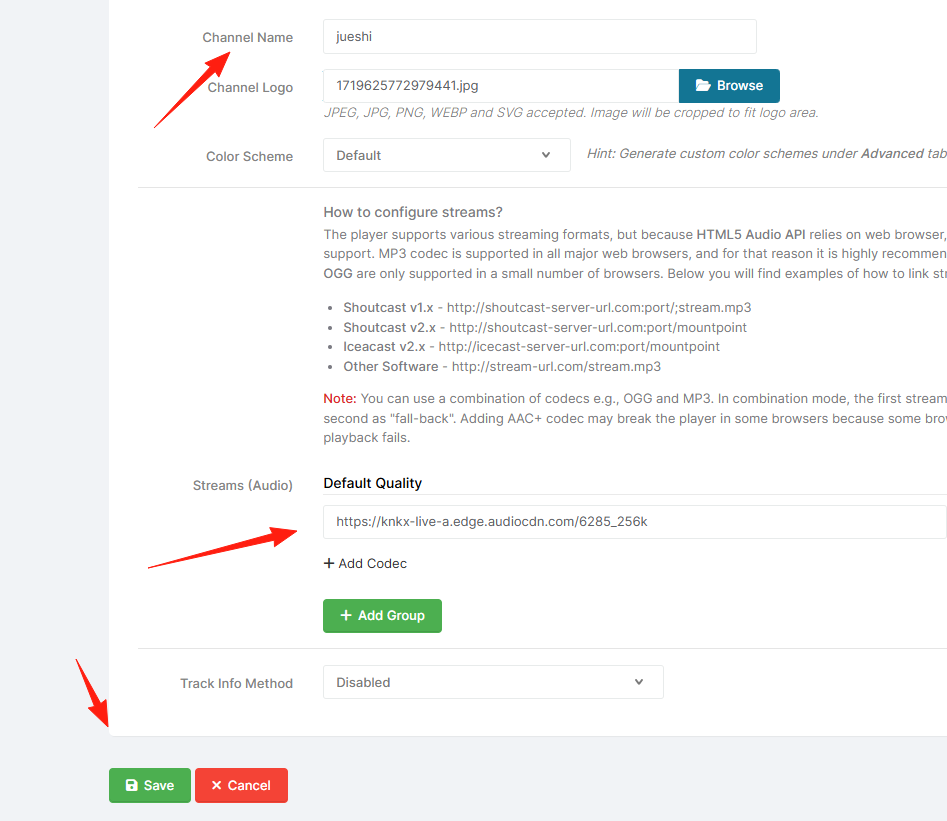
The first thing to do is add your radio channel: Click "Channels" Fill in the channel name (e.g., "jueshi")
 Enter the streaming media URL (This requires you to have a radio server, e.g., one built with Icecast).
Tip: If you don't have a radio server yet, you can use some free internet radio URLs for testing, such as public BBC radio streams.
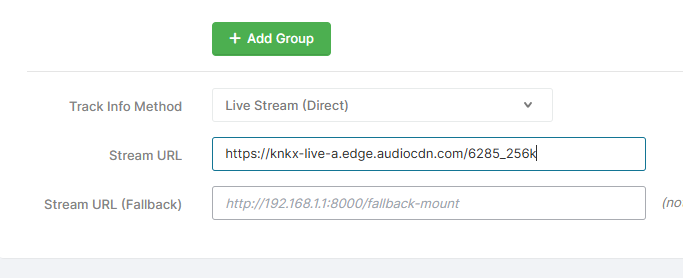 Some recommendations:
【Jazz】 Jazz24: A classic jazz radio station with great sound quality and tasteful music selection.
High Quality (AAC): https://knkx-live-a.edge.audiocdn.com/6285_256k
【Lo-fi / Sleep Aid】 Lofi Girl: This super popular Lo-fi music channel from YouTube also has its own streaming address. Great for studying, working, or relaxing.
Address: http://radio.plaza.one/mp3
(Note: This address might change. If it becomes invalid, check their official website.)
【News / Talk】 NPR News: A good choice if you want to listen to news and interviews.
Address: https://npr-ice.streamguys1.com/live.aac
After configuration, return to the homepage player, and you should be able to hear it.
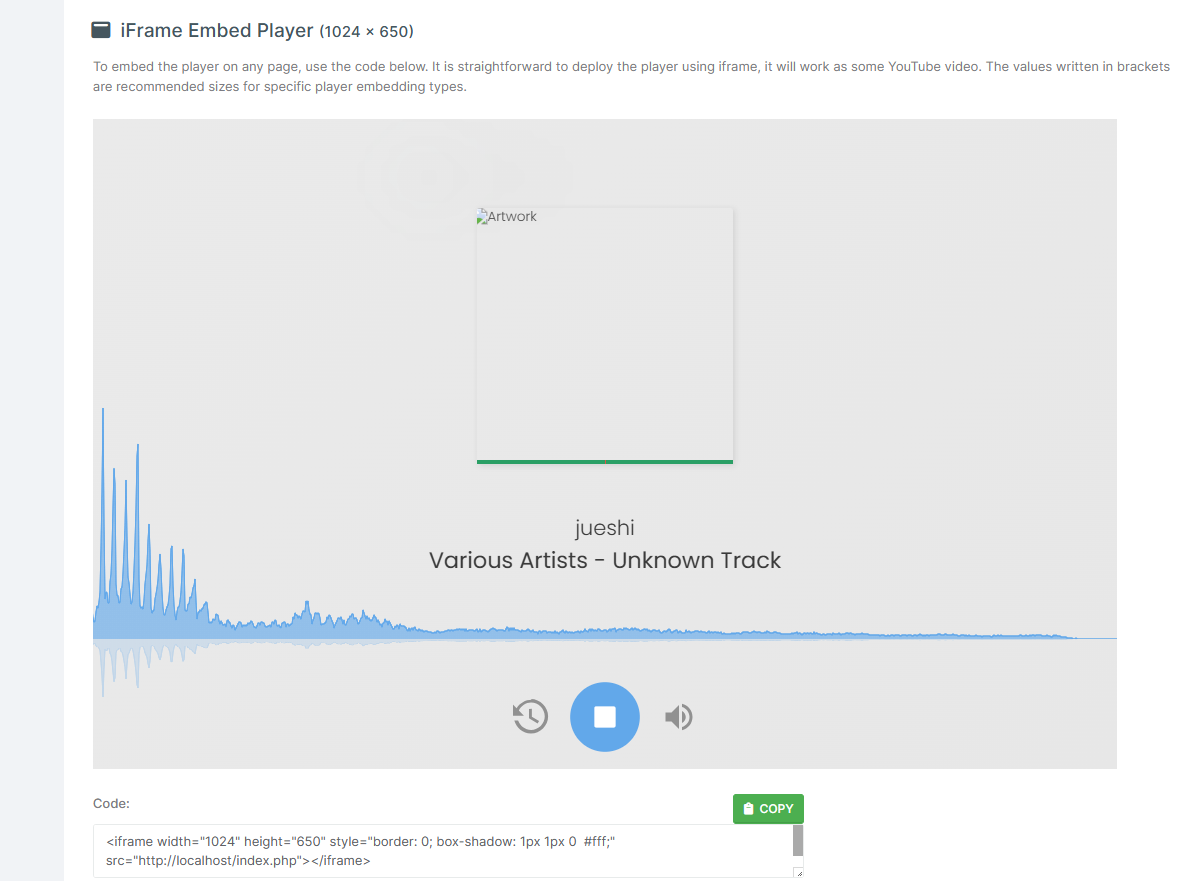
You can pause anytime, and you can also embed the code into your website.
Summary
PawTunes is more than just a player; it's更像是一个完整的电台解决方案。Whether you want to set up a personal radio station, a company internal broadcast, or operate commercially, it can meet your needs.
If you are looking for a reliable internet radio solution, it's recommended to try PawTunes.
Project Address: https://github.com/Jackysi/PawTunes
Online Demo: https://prahec.com/projects/pawtunes/demo/panel/
Documentation: https://doc.prahec.com/pawtunes