
Pastebin Usage Guide - Build Your Private File Sharing Tool
What is Pastebin?
In simple terms, it's a tool that lets you build your own file sharing platform.
This isn't one of those overly complex enterprise-grade solutions, but a modern tool truly suited for individuals and small teams. Whether you're a programmer wanting to share code snippets or a regular user needing to transfer a file temporarily, this project meets your needs.
Key Features:
- Multimedia Support: Handles text, code, images, videos, audio, and even PDFs
- Syntax Highlighting: Automatically detects programming languages, a boon for developers
- Drag-and-Drop Upload: Simply drag files in, complete with a progress bar
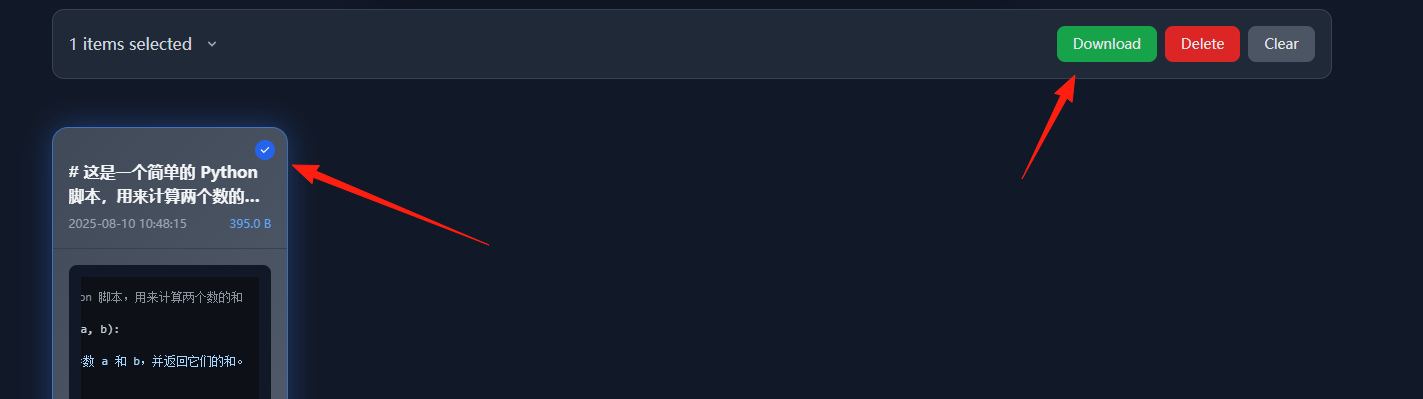
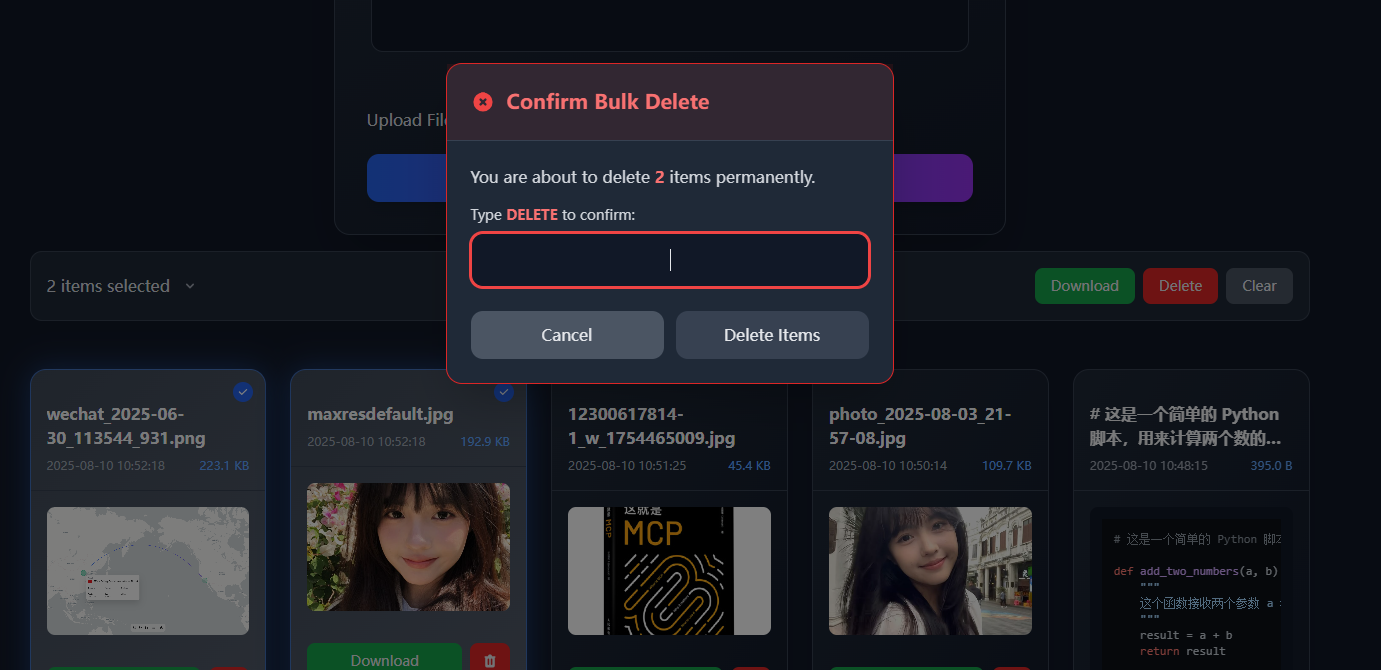
- Batch Operations: Select multiple files for download or deletion at once
- Search & Filter: Quickly find what you need by content, filename, or date
https://appstore.lazycat.cloud/#/shop/detail/wcloud.gblw.app.pastebin
Quick Start
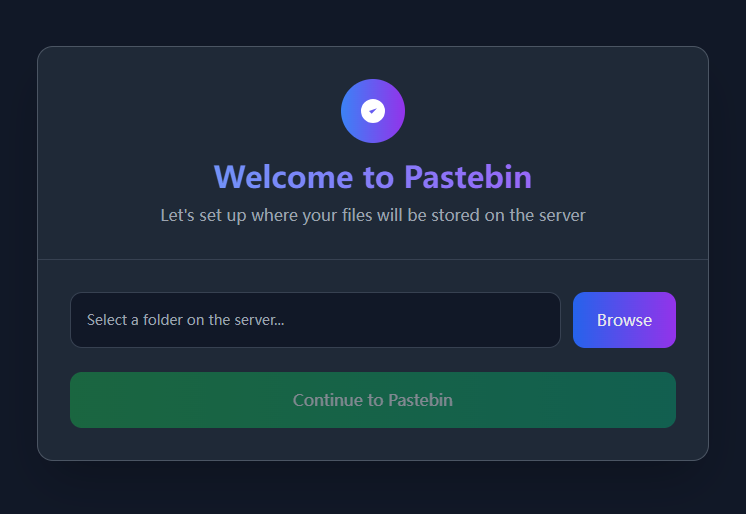
After installing the app, the first step is to select a storage location.
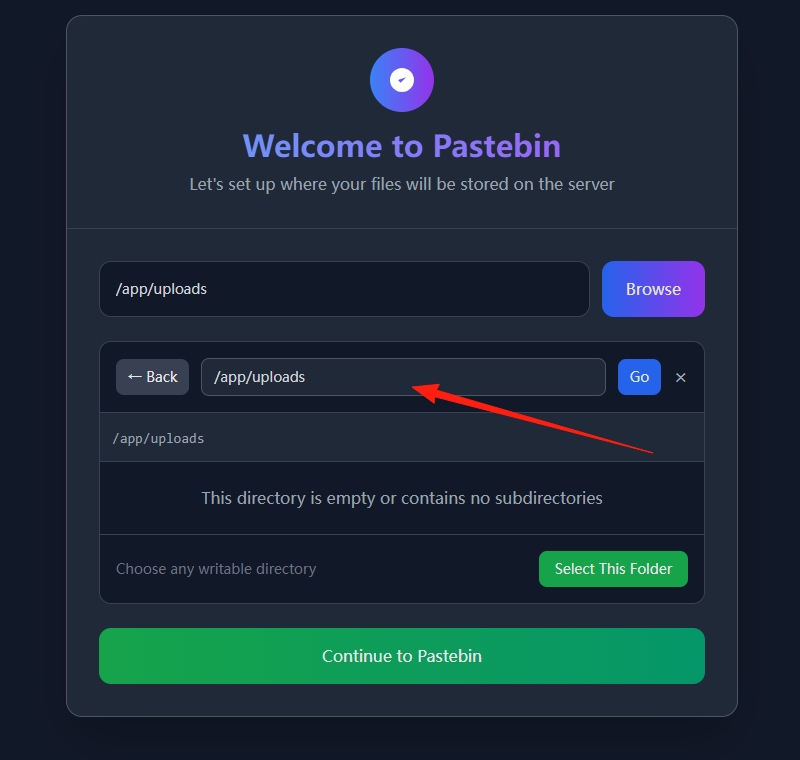
The path must be set to app/uploads.
Enter the main page.
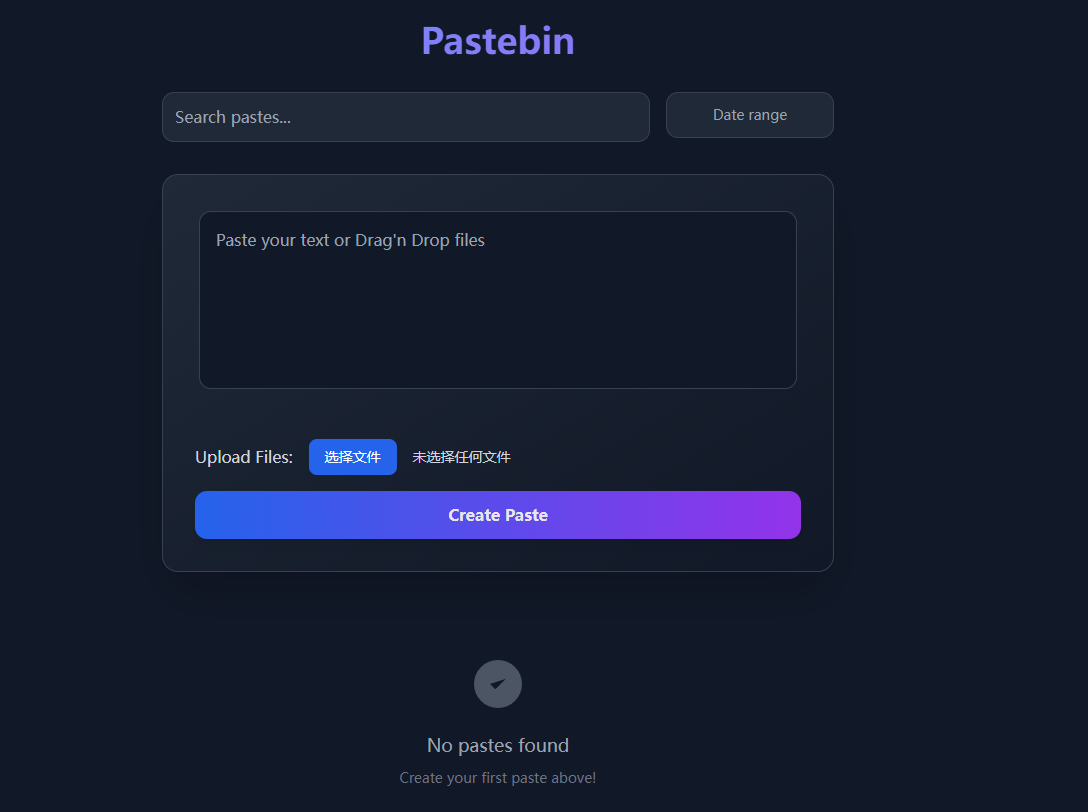
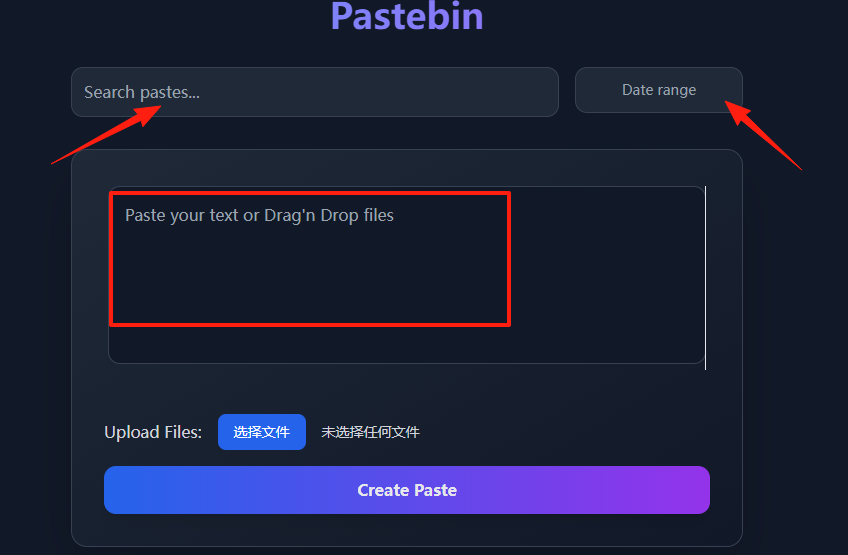
You can search content and select dates at the top.
- Text search finds matches in filenames and content.
- Date filter locates files from a specific time period.
- Using them together yields better results.
Enter the content you want to save in the input box.
Use Case 1: The Ultimate Code Sharing Tool
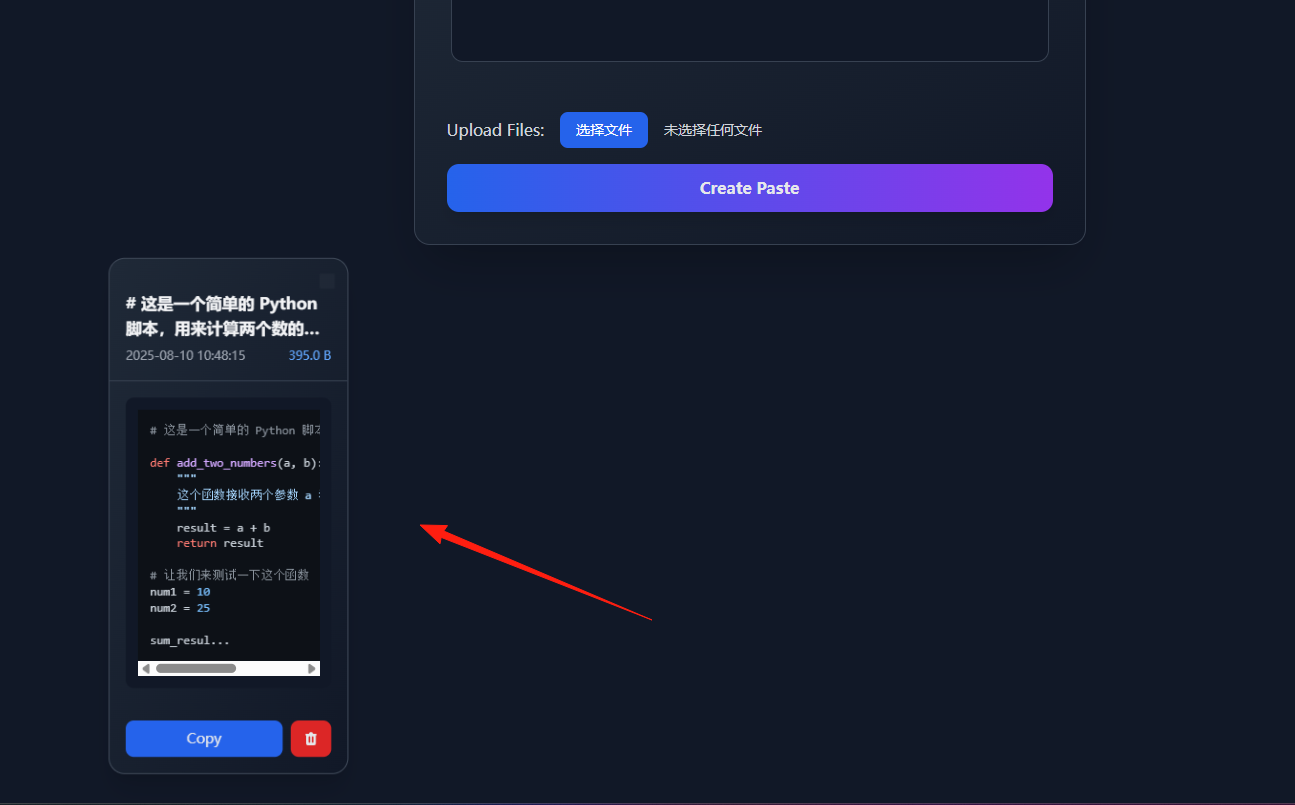
For programmers, sharing code snippets is a common task. Instead of sending messy screenshots of code in a group chat when discussing problems, simply paste it into your own Pastebin:
- Copy code into the text box.
- The system automatically detects the language and applies highlighting.
- Click submit to get a shareable link.
- Share the link in the group; colleagues can view it directly and even copy the code.
You can download files as a ZIP archive.
Use Case 2: Temporary File Transfer Hub
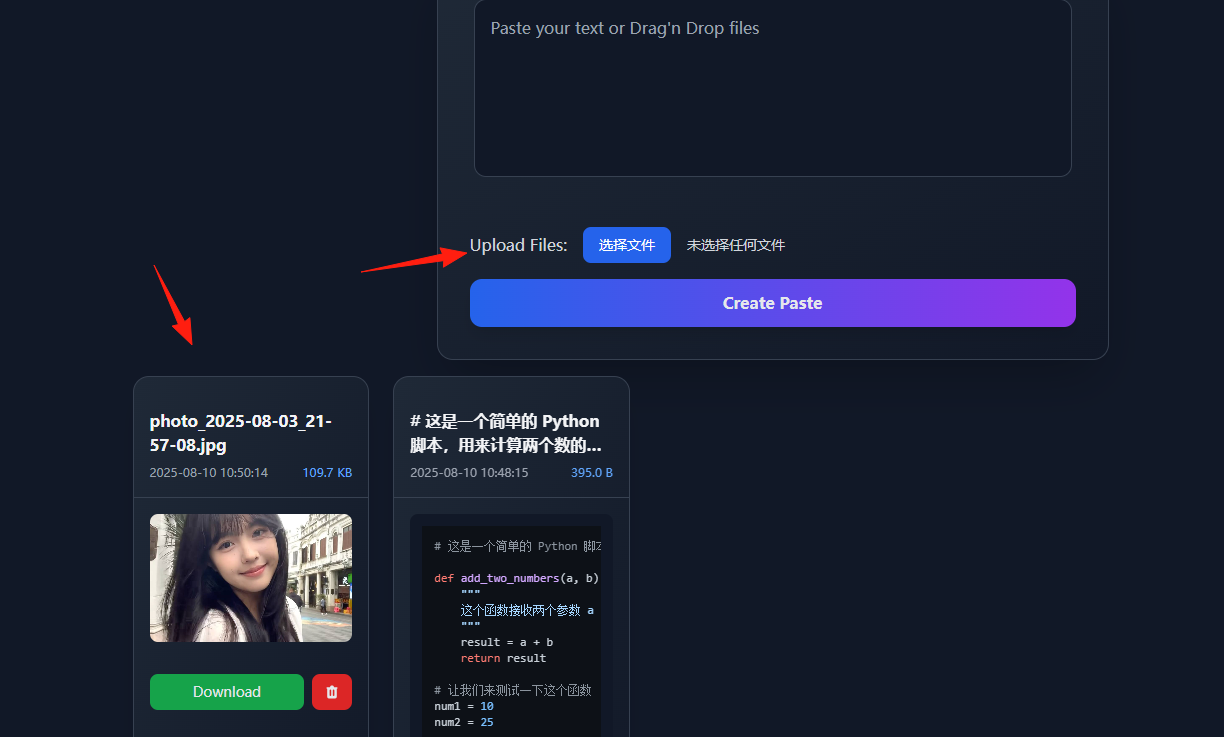
Sometimes you need to send a file to a colleague. QQ/WeChat have size limits, and cloud drives feel too formal. In these cases, just drag and drop the file into Pastebin:
- Supports uploading multiple files simultaneously.
- The recipient can download files individually or download them all as a single package.
- Selected files can be downloaded in batch (automatically packaged into a ZIP).
- Batch deletion requires typing "DELETE" for confirmation to prevent accidental operations.
Summary
The Pastebin project is a classic example of "small but complete."
Whether you need a personal code snippet management tool or your team needs an internal file sharing platform, it's up to the task.
Most importantly, it supports modern features like drag-and-drop upload, syntax highlighting, and batch operations, making it genuinely enjoyable to use.
If you happen to have such a need, why not give it a try?