
PrivateBin: A More Secure Text Sharing Tool Than Pastebin
Want to share code, configuration files, or sensitive information but worried about privacy leaks?
PrivateBin might be the tool you're looking for. It's an open-source online pastebin, with its key feature being that the server has absolutely no knowledge of what you paste—all data is encrypted within your browser before being uploaded.
- Client-Side Encryption: Uses 256-bit AES encryption; your data is encrypted right in your browser.
- Zero-Knowledge Server: Even server administrators cannot see your original content.
- Password Protection: Add an extra layer of security; content is inaccessible without the password.
https://appstore.lazycat.cloud/#/shop/detail/cloud.lazycat.app.privatebin
How to Use
Once the app is installed, opening it takes you directly to the functional page.
For example, if you need to share database configurations, API keys, etc., with a colleague:
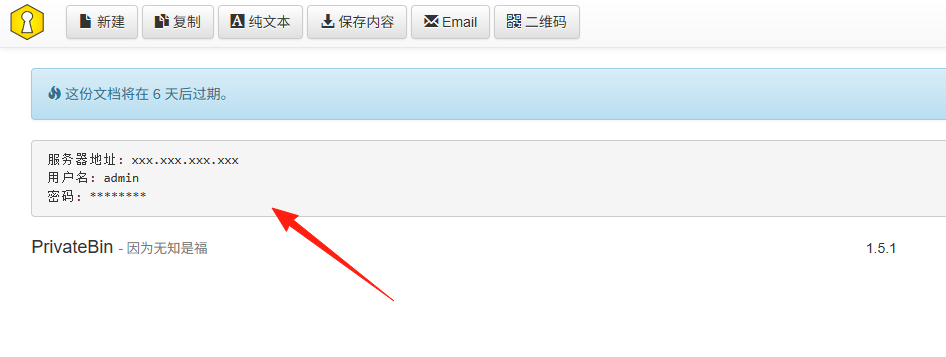
Server Address: xxx.xxx.xxx.xxx
Username: admin
Password: ********
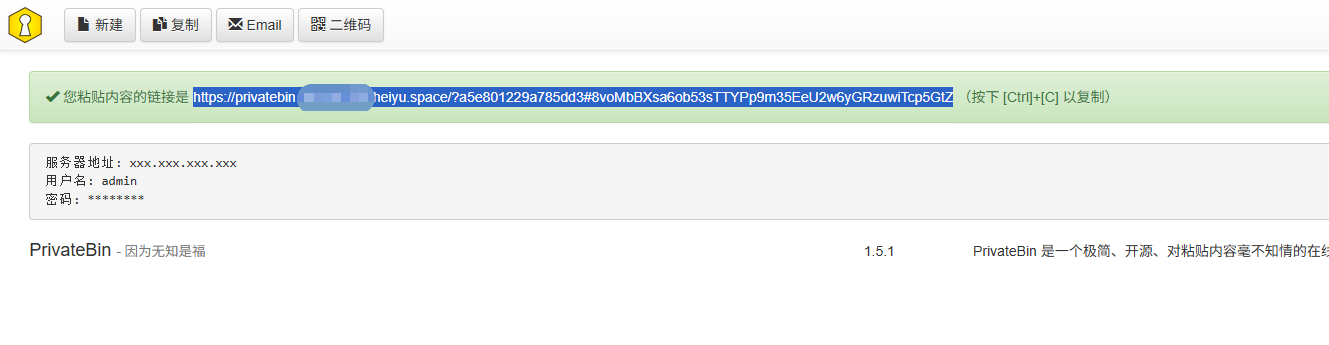
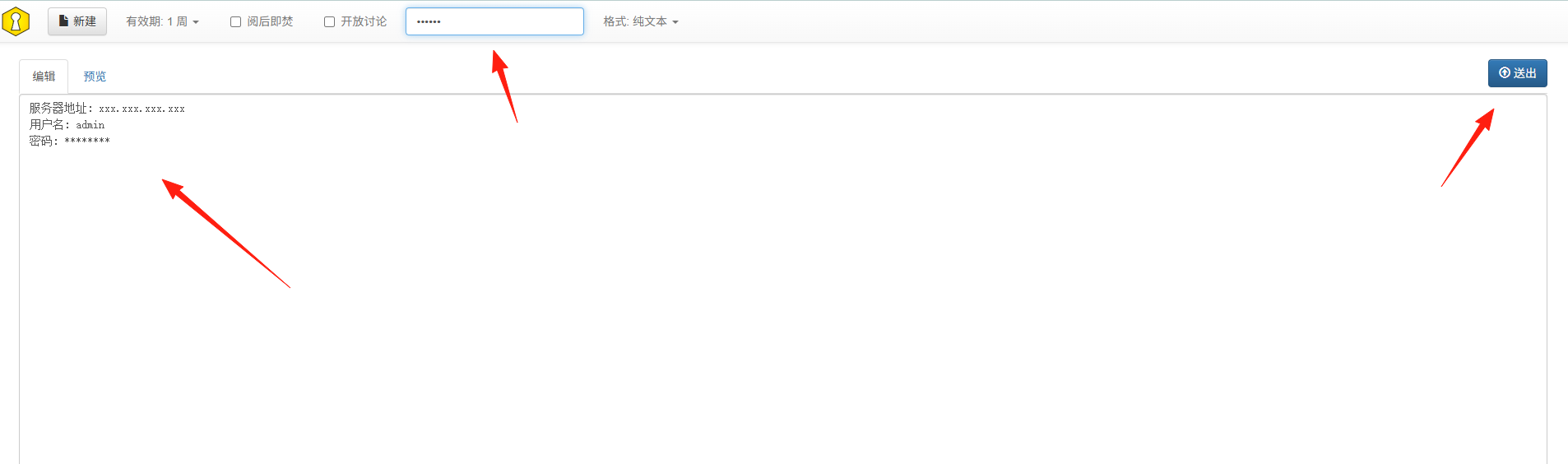 Paste it directly into PrivateBin, set a password, and send the link and password separately to the recipient. Even if the link is intercepted, it's secure.
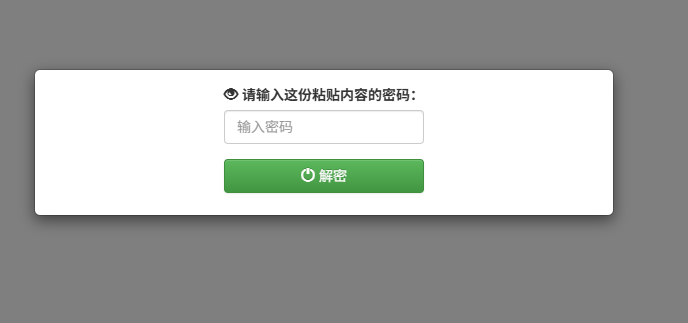
When the recipient receives it, they enter the password.
Sharing Markdown Documents
Wrote a user guide or meeting notes:
## Meeting Minutes

### Attendees
- Zhang San
- Li Si

### Discussion Topics
1. Project Progress
2. Next Week's Plan
It natively supports Markdown rendering, providing clean formatting.
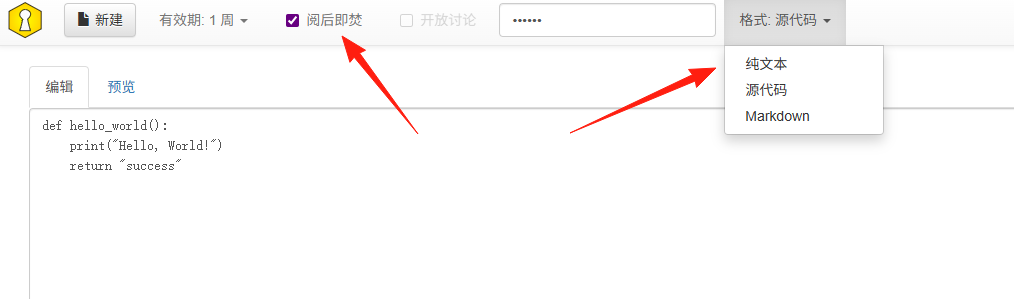
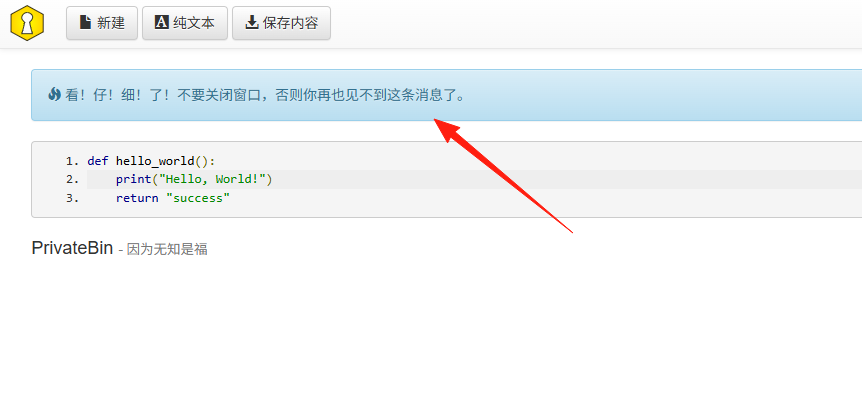
If "Burn after reading" is checked, the recipient will see a prompt upon opening.
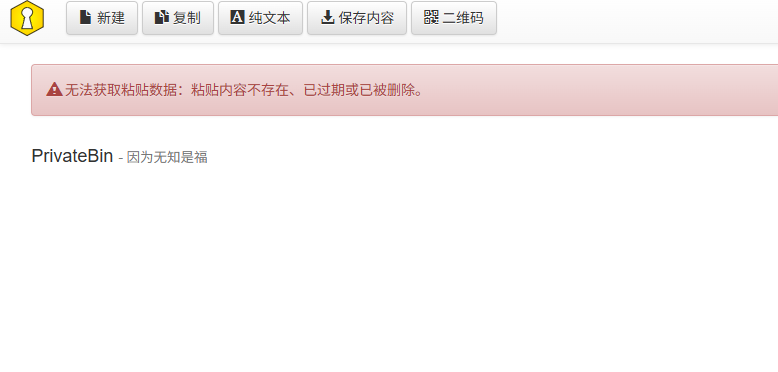
 After refreshing the page, the content becomes unavailable.
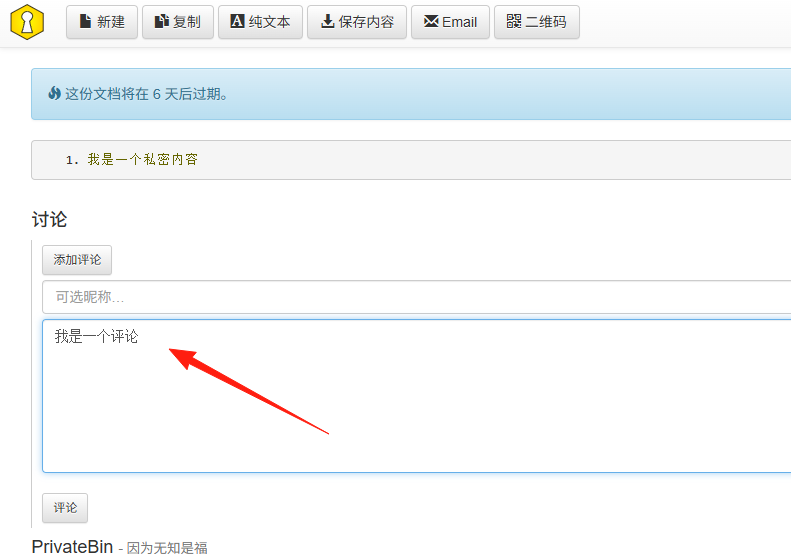
It features a discussion function, allowing you to leave comments below the paste.
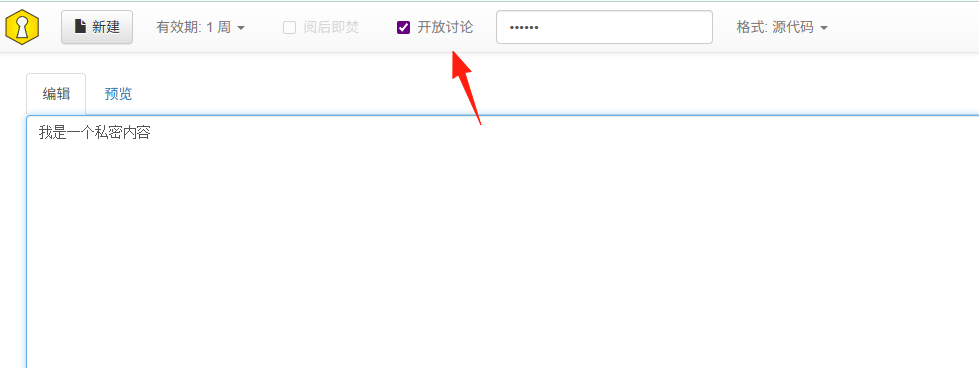
Recipients can add comments after receiving the link.
Important Notes
The Link is the Key: Anyone with the full link can view the content (unless a password is set).
Summary
PrivateBin is essentially an enhanced Pastebin, characterized by its security, simplicity, and practicality. It's highly useful whether for programmers sharing code, IT ops sharing configurations, or regular users temporarily transferring a file.
Most importantly, it provides genuine privacy protection—even the server doesn't know what you've shared.